

If you’ve been using Perplexity for a while, you’ve probably figured out the basics. You know it gives you straight answers instead of a giant wall of sponsored results and recipe blogs.
That’s fine, but if you’re only typing basic questions into the primary search bar, you’re barely scratching the surface.
There are a handful of deeper tools tucked into the prompt box, Spaces, and follow-up workflow that completely change how the engine works. If you aren’t using them, you’re missing out on some of the best parts of the platform.
Let’s look at the features you should actually be using. Best of all, these will work on the free version.
Old-school Google search modifiers
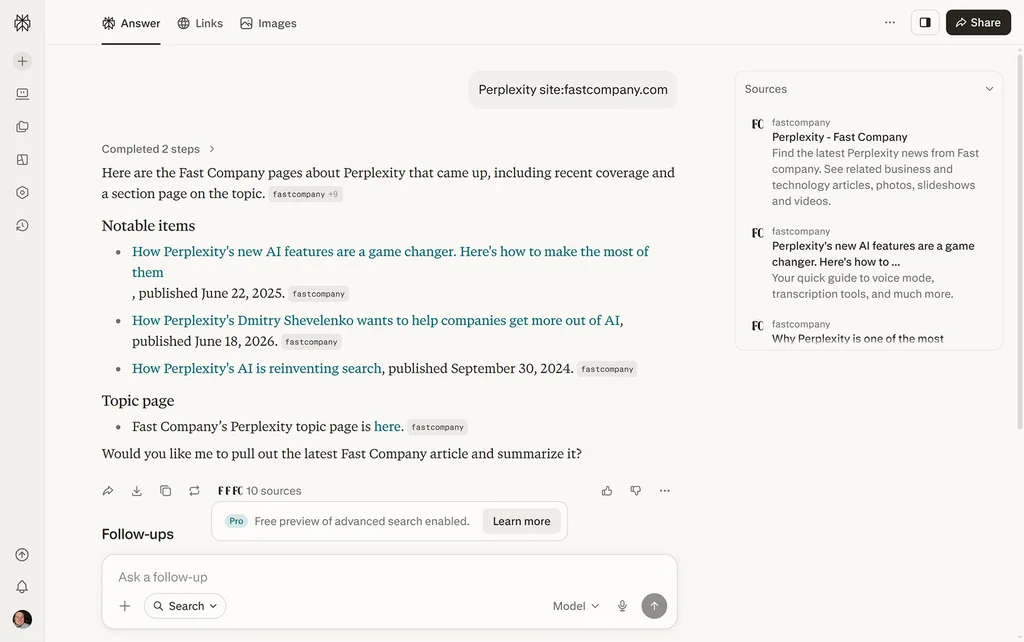
We spent 20 years learning how to use advanced search operators on Google, and then AI came along and told us to just write conversational paragraphs. That’s fine for most things, but sometimes a paragraph’s a waste of time.
Perplexity still supports familiar search-style modifiers. You don’t need to type a massive prompt to narrow your results. You can use the shorthand you already know:
- site:domain.com – Narrows the search to a specific domain.
- filetype:pdf – Helps surface PDFs like reports, whitepapers, and other uploaded documents.
- before:2026 or after:2024-01-01 – Narrows results by date so you can focus on older material or more recent updates.
These operators are especially useful when you’re hunting for a specific financial report, corporate manual, research paper, or policy document. A quick modifier can save you multiple rounds of conversational follow-ups.
Just remember: These operators help steer and filter the search, but they’re not magic. You should still double-check the sources Perplexity returns, especially if you’re using the answer for anything important.
Build a workspace with Spaces and custom instructions
Most people start a brand-new thread every single time they want to look something up. If you’re doing repetitive tasks like drafting weekly reports, formatting data for a specific team spreadsheet, or writing copy in a distinct brand voice, that means you’re pasting the same instructions over and over.
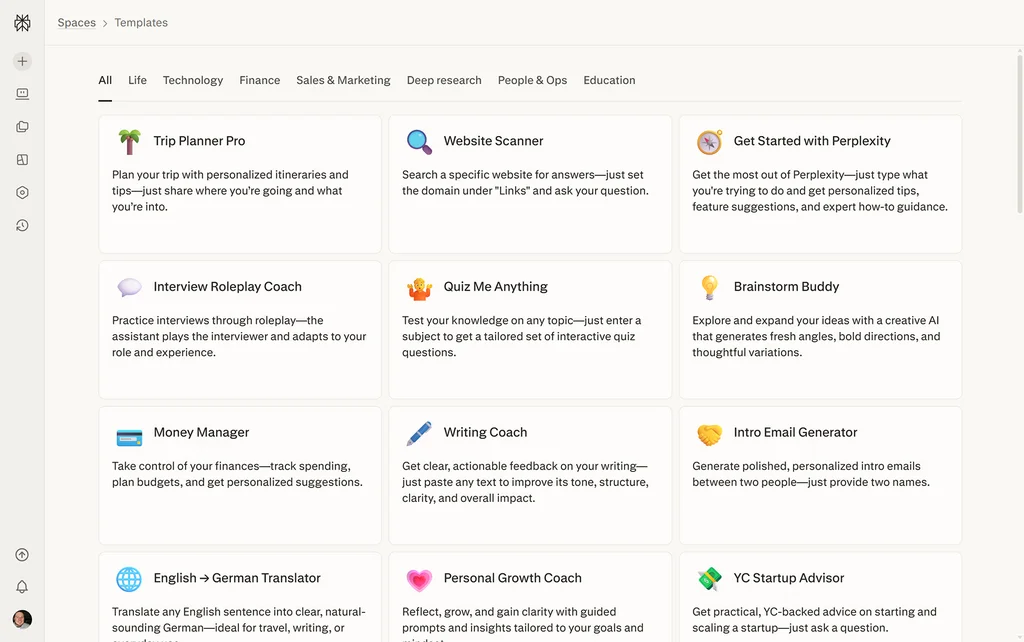
Instead, you should be using Spaces with custom AI instructions. Click the folders icon in the left-hand nav to get started. There are a whole bunch of useful templates set up already.
Think of a Space as a dedicated workspace for a project. It lets you organize related threads, files, and research in one place. Read more about Spaces here.
Inside that Space, you can set custom instructions that tell Perplexity how to behave for that project—for example, what tone to use, how to format answers, or what kind of reasoning style you prefer. Once it’s set, you don’t have to explain your formatting rules every single time.
Stress-test Perplexity’s sources
AI search engines are built to summarize information and give you a clean consensus. But out in the real world, experts rarely agree on everything.
If you’re researching a complex market trend, a medical topic, a vendor comparison, or a technical architecture plan, getting a smooth, unified answer can actually hide the real nuance.
Next time you get a comprehensive answer, don’t just take it at face value. Drop this prompt into the follow-up box:
“For all the references you just pulled, highlight what these sources disagree on and where the data is weakest.”
That prompt pushes Perplexity to stop acting like a simple aggregator and start acting more like a critical editor. It can help surface conflicting numbers, weak evidence, methodological gaps, or places where the sources are making different assumptions.
It won’t guarantee a perfect source audit, and you should still verify anything mission-critical yourself, but it’s one of the fastest ways to figure out where the real debate lies before you make a decision.
Search beyond the web
Most people use Perplexity like a cleaner version of Google: Type a question, get an answer, check the citations, move on. That’s useful, but it misses one of the better free features—you can bring your own material into the search.
Perplexity’s free plan includes basic file uploads, so you can attach a PDF, document, spreadsheet, or other research material and ask questions about it directly. The limits are tighter than on paid plans, but for quick document review, it’s still incredibly useful.
Instead of skimming a 40-page report yourself, upload it and write this prompt:
“Summarize the key findings, pull out the most important numbers, and flag anything that seems vague, unsupported, or worth double-checking.”
Or:
“Turn this into a five-bullet executive summary with the strongest supporting evidence from the document.”
This changes Perplexity from a search engine into something closer to a research assistant. You’re no longer just asking it what’s on the open web; you’re asking it to work with the source material you care about.
Just remember that free accounts have limited upload capacity, so save this for documents where you actually need help finding the signal in the noise.
